
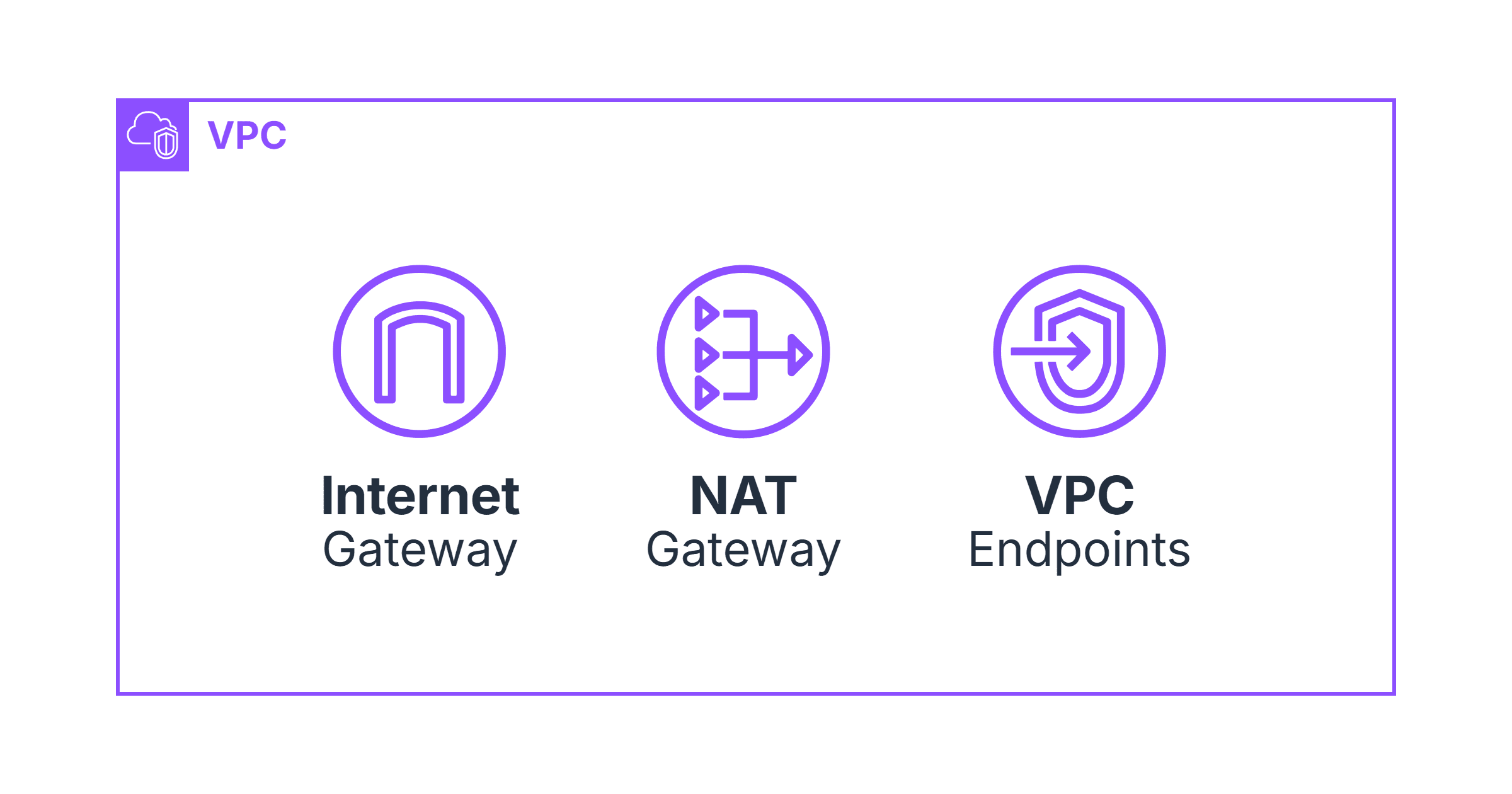
When you create a VPC, it is completely isolated. No traffic can enter or leave by default. To connect it to the internet or to AWS services, you need gateways — and which gateway you choose for which traffic path has real implications for both reliability and cost.
This post covers three: the Internet Gateway, NAT Gateway, and VPC Endpoints. They are often confused because they all involve traffic leaving a subnet, but they serve completely different purposes.
Prerequisites
AWS CLI v2 installed and configured
An AWS account with permissions to create VPC resources
Terraform >= 1.5 if following the IaC examples

Internet Gateway (IGW)
An Internet Gateway is attached to the VPC itself — not to a subnet. It enables bidirectional communication between resources in your VPC and the internet. A resource needs two things to be publicly reachable: a public IP address, and a route to the IGW.
The IGW performs NAT for any resource that has a public IP. It translates the resource's private IP to its public IP on the way out, and back again on the way in. This is why EC2 instances with public IPs can be reached from the internet.
One IGW per VPC. It is highly available and scales automatically — you do not manage capacity. It is also free.
resource "aws_internet_gateway" "main" {
  vpc_id = aws_vpc.main.id

  tags = {
    Name = "production-igw"
  }
}

# Route table for public subnets — sends all internet traffic via IGW
resource "aws_route_table" "public" {
  vpc_id = aws_vpc.main.id

  route {
    cidr_block = "0.0.0.0/0"
    gateway_id = aws_internet_gateway.main.id
  }

  tags = {
    Name = "public-rt"
  }
}

# Associate the route table with each public subnet
resource "aws_route_table_association" "public" {
  for_each = toset(aws_subnet.public[*].id)

  subnet_id      = each.value
  route_table_id = aws_route_table.public.id
}
# Verify IGW is attached
aws ec2 describe-internet-gateways \
--filters Name=attachment.vpc-id,Values=vpc-0abc123 \
--query 'InternetGateways[].InternetGatewayId' \
--output text
# igw-0abc123def456NAT Gateway
Private subnets have no route to the internet — that is the point of them. But the resources inside them often need outbound internet access: EC2 instances pull software updates, EKS nodes pull container images from public registries, Lambda functions call external APIs.
A NAT Gateway sits in a public subnet and provides outbound-only internet access to resources in private subnets. Traffic can leave — responses come back — but nothing from the internet can initiate a connection inbound.
It requires an Elastic IP (a static public IP address). You attach one when creating it.
# Elastic IP for each NAT Gateway
resource "aws_eip" "nat" {
  count  = 3  # One per AZ
  domain = "vpc"

  tags = {
    Name = "nat-eip-${count.index + 1}"
  }
}

# NAT Gateways — one per AZ in the public subnets
resource "aws_nat_gateway" "main" {
  count = 3

  allocation_id = aws_eip.nat[count.index].id
  subnet_id     = aws_subnet.public[count.index].id

  tags = {
    Name = "nat-gateway-az${count.index + 1}"
  }

  depends_on = [aws_internet_gateway.main]
}

# Private route tables — one per AZ, pointing to its local NAT Gateway
resource "aws_route_table" "private" {
  count  = 3
  vpc_id = aws_vpc.main.id

  route {
    cidr_block     = "0.0.0.0/0"
    nat_gateway_id = aws_nat_gateway.main[count.index].id
  }

  tags = {
    Name = "private-rt-az${count.index + 1}"
  }
}

resource "aws_route_table_association" "private" {
  count = 3

  subnet_id      = aws_subnet.private[count.index].id
  route_table_id = aws_route_table.private[count.index].id
}
Why one NAT Gateway per AZ, not one shared?
NAT Gateways live in a specific AZ. If you create one in AZ-a and route all three AZs through it, an AZ-a failure takes down internet access for nodes in AZ-b and AZ-c as well. They can't pull container images. Deployments fail. One per AZ means an AZ failure only affects nodes in that AZ.
# Verify NAT Gateways are available
aws ec2 describe-nat-gateways \
  --filter Name=vpc-id,Values=vpc-0abc123 \
  --query 'NatGateways[].{ID:NatGatewayId,State:State,AZ:SubnetId}' \
  --output table

# Test outbound connectivity from a private subnet instance
aws ssm start-session --target i-0abc123def456
# Inside the instance:
curl -s https://checkip.amazonaws.com
# Should return your NAT Gateway's Elastic IP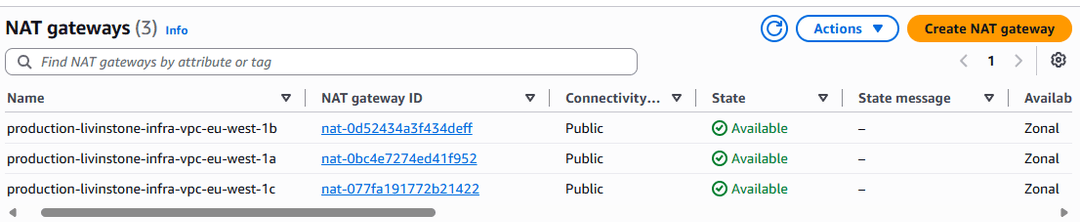
VPC Endpoints
VPC Endpoints let resources in private subnets reach AWS services — S3, ECR, SSM, CloudWatch, and others — without the traffic ever touching the public internet or going through NAT. The connection stays inside AWS's private network.
There are two types:
Gateway Endpoints — for S3 and DynamoDB only. Free. Works by adding a route to your route table pointing to the endpoint. No network interface created.
Interface Endpoints — for everything else (ECR, SSM, CloudWatch, Secrets Manager, and 100+ other services). Creates an ENI (Elastic Network Interface) in your subnet with a private IP. ~$7/month per endpoint per AZ, no per-GB cost.
# S3 Gateway Endpoint — free
resource "aws_vpc_endpoint" "s3" {
  vpc_id            = aws_vpc.main.id
  service_name      = "com.amazonaws.eu-west-1.s3"
  vpc_endpoint_type = "Gateway"

  # Add this route to private route tables
  route_table_ids = aws_route_table.private[*].id

  tags = { Name = "s3-endpoint" }
}

# Security group for Interface Endpoints
# Must allow HTTPS from VPC CIDR
resource "aws_security_group" "endpoints" {
  name   = "vpc-endpoints"
  vpc_id = aws_vpc.main.id

  ingress {
    from_port   = 443
    to_port     = 443
    protocol    = "tcp"
    cidr_blocks = ["10.0.0.0/16"]  # Your VPC CIDR
  }
}

# ECR API Interface Endpoint — for docker pull auth
resource "aws_vpc_endpoint" "ecr_api" {
  vpc_id              = aws_vpc.main.id
  service_name        = "com.amazonaws.eu-west-1.ecr.api"
  vpc_endpoint_type   = "Interface"
  subnet_ids          = aws_subnet.private[*].id
  security_group_ids  = [aws_security_group.endpoints.id]
  private_dns_enabled = true  # Overrides public ECR DNS with private IPs

  tags = { Name = "ecr-api-endpoint" }
}

# ECR DKR Interface Endpoint — for pulling image layers
resource "aws_vpc_endpoint" "ecr_dkr" {
  vpc_id              = aws_vpc.main.id
  service_name        = "com.amazonaws.eu-west-1.ecr.dkr"
  vpc_endpoint_type   = "Interface"
  subnet_ids          = aws_subnet.private[*].id
  security_group_ids  = [aws_security_group.endpoints.id]
  private_dns_enabled = true

  tags = { Name = "ecr-dkr-endpoint" }
}

# SSM Endpoint — enables Session Manager without SSH or bastion hosts
resource "aws_vpc_endpoint" "ssm" {
  vpc_id              = aws_vpc.main.id
  service_name        = "com.amazonaws.eu-west-1.ssm"
  vpc_endpoint_type   = "Interface"
  subnet_ids          = aws_subnet.private[*].id
  security_group_ids  = [aws_security_group.endpoints.id]
  private_dns_enabled = true

  tags = { Name = "ssm-endpoint" }
}

# SSM Messages — also needed for Session Manager
resource "aws_vpc_endpoint" "ssm_messages" {
  vpc_id              = aws_vpc.main.id
  service_name        = "com.amazonaws.eu-west-1.ssmmessages"
  vpc_endpoint_type   = "Interface"
  subnet_ids          = aws_subnet.private[*].id
  security_group_ids  = [aws_security_group.endpoints.id]
  private_dns_enabled = true

  tags = { Name = "ssm-messages-endpoint" }
}
# Verify endpoints exist
aws ec2 describe-vpc-endpoints \
--filters Name=vpc-id,Values=vpc-0abc123 \
--query 'VpcEndpoints[].{Service:ServiceName,State:State,Type:VpcEndpointType}' \
--output table
# Test S3 connectivity from a private subnet (should work without internet)
aws ssm start-session --target i-0abc123def456
# Inside instance:
aws s3 ls s3://my-bucket --region eu-west-1
# Should return bucket contents without going through NATWhich One for Which Traffic
Traffic type Use Why Public-facing ALB, bastion host IGW Needs inbound internet access NAT Gateway itself IGW NAT Gateway lives in a public subnet EKS nodes pulling from public Docker Hub NAT Gateway Public registry, no endpoint available EKS nodes pulling from ECRVPC Endpoint ECR is an AWS service — faster, no NAT costS3 access from private subnet VPC Endpoint (Gateway)Free, automatic via route table SSM Session Manager VPC Endpoint Replaces SSH — no port 22, fully audited Lambda calling external APIs NAT Gateway External APIs have no VPC endpoints
Common Mistakes
Missing private_dns_enabled on Interface Endpoints. Without this, DNS still resolves ECR to its public IPs. Your instances go through NAT even though the endpoint exists. Always set private_dns_enabled = true.
Security group blocks the endpoint. Interface Endpoints create ENIs that need HTTPS (port 443) from your VPC CIDR. If the security group only allows traffic from specific security groups and not from the subnet range, the endpoint appears Available but connections time out.
Route table not updated for Gateway Endpoints. S3 Gateway Endpoints add a route to the route tables you specify. If you forget to include a route table, traffic to S3 from that subnet still goes through NAT.
# Debug: check if S3 traffic is going through the endpoint
aws ec2 describe-vpc-endpoints \
  --filters Name=service-name,Values=com.amazonaws.eu-west-1.s3 \
  --query 'VpcEndpoints[].RouteTableIds'
# Should include your private route table IDs

# Check endpoint security group allows port 443 from VPC CIDR
aws ec2 describe-security-groups \
  --group-ids sg-0abc123 \
  --query 'SecurityGroups[].IpPermissions'
This connectivity foundation underlies everything else. The EKS cluster setup uses all three — IGW for public ALBs, NAT for pulling public images, and VPC Endpoints for ECR, S3, and SSM. The Terraform multi-environment guide covers how to provision all of this consistently across dev and production.
Comments
All comments are reviewed before appearing.
Leave a Comment