
After you deploy your first EKS cluster, seeing three healthy worker nodes feels like the finish line. In reality it is just the beginning. A Kubernetes cluster by itself doesn't run your business. Your applications do.
This post covers deploying a Node.js API onto the cluster from Part 2 — packaged with Helm, scaled automatically with HPA, routed through an ALB, and configured without a single secret in Git. The full source is in eks-app-deployment. What follows are the decisions behind it.

The Application
The API is intentionally simple — an Express server with health check endpoints and a status route. The health checks are the most important part. /healthz/ready is what Kubernetes checks before routing any traffic to a pod. Without it, rolling deployments send requests to pods that are still starting up.
// Liveness probe — is the process still alive?
app.get('/healthz/live', (req, res) => res.json({ status: 'ok' }))

// Readiness probe — is the app ready to handle traffic?
// Return 503 if any dependency is down — Kubernetes stops routing here
app.get('/healthz/ready', async (req, res) => {
  try {
    res.json({ status: 'ok' })
  } catch (err) {
    res.status(503).json({ status: 'not ready', error: err.message })
  }
})

// Graceful shutdown — Kubernetes sends SIGTERM before stopping the container
process.on('SIGTERM', () => {
  server.close(() => process.exit(0))
  setTimeout(() => process.exit(1), 25000)
})
The Dockerfile uses a multi-stage build. The first stage installs dependencies, the second copies only what the runtime needs. No dev tools, no build artifacts — smaller image, less to scan for vulnerabilities.
FROM node:20-alpine AS deps
WORKDIR /app
COPY package*.json ./
RUN npm ci --only=production

FROM node:20-alpine AS runner
WORKDIR /app
COPY --from=deps /app/node_modules ./node_modules
COPY src/ ./src/
EXPOSE 3000
USER node
CMD ["node", "src/index.js"]
Build in CI, Not on Your Laptop
The image is built using AWS CodeBuild, not Docker locally. Every push to GitHub triggers a build — CodeBuild pulls the source, builds the image, tags it with the short commit SHA, and pushes to ECR. It is repeatable, auditable, and does not break when someone's local environment differs.

phases:
  pre_build:
    commands:
      - aws ecr get-login-password --region $AWS_DEFAULT_REGION | docker login --username AWS --password-stdin $AWS_ACCOUNT_ID.dkr.ecr.$AWS_DEFAULT_REGION.amazonaws.com
      - IMAGE_TAG=$(echo $CODEBUILD_RESOLVED_SOURCE_VERSION | cut -c 1-7)
  build:
    commands:
      - docker build -t $REPOSITORY_URI:$IMAGE_TAG ./apps/api
      - docker tag $REPOSITORY_URI:$IMAGE_TAG $REPOSITORY_URI:latest
  post_build:
    commands:
      - docker push $REPOSITORY_URI:$IMAGE_TAG
      - docker push $REPOSITORY_URI:latest
# Trigger a build manually
aws codebuild start-build --project-name eks-app-build --region eu-west-1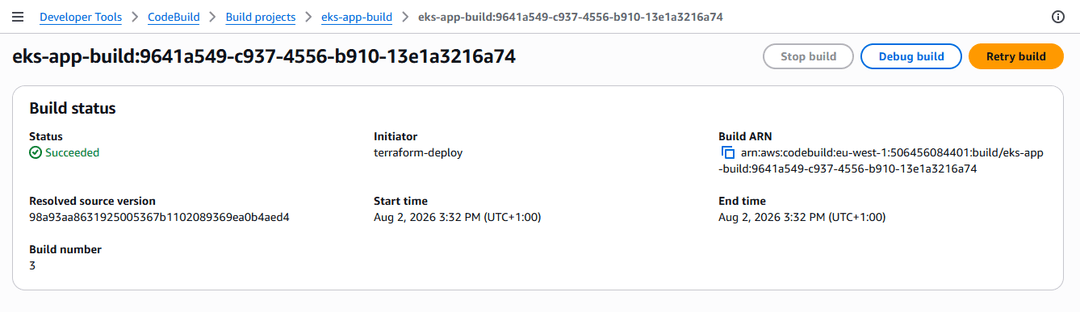
One Chart, Different Values Per Environment
The application is packaged as a Helm chart with a single values.yaml and environment-specific overrides. Dev runs one replica with minimal resources. Production runs three with HPA enabled. Same chart, different inputs — no duplicate manifests that drift apart over time.
# values.yaml — shared defaults
replicaCount: 2

image:
  repository: YOUR_ACCOUNT_ID.dkr.ecr.eu-west-1.amazonaws.com/api
  tag: latest
  pullPolicy: Always

service:
  type: ClusterIP
  port: 3000

resources:
  requests:
    cpu: "100m"
    memory: "128Mi"
  limits:
    cpu: "500m"
    memory: "256Mi"

hpa:
  enabled: false
  minReplicas: 2
  maxReplicas: 10
  targetCPUUtilization: 70
# values-prod.yaml — only what differs from the defaults
replicaCount: 3
resources:
requests:
cpu: "250m"
memory: "256Mi"
limits:
cpu: "500m"
memory: "512Mi"
hpa:
enabled: true
minReplicas: 3
maxReplicas: 10
targetCPUUtilization: 70Always dry run before deploying. It renders the templates and shows exactly what Kubernetes would receive without applying anything. I have caught broken charts this way more than once.
kubectl create namespace production

# Dry run first
helm install api ./helm/api-chart   --namespace production   --values helm/api-chart/values-prod.yaml   --dry-run --debug

# Deploy
helm install api ./helm/api-chart   --namespace production   --values helm/api-chart/values-prod.yaml

# Watch pods come up
kubectl get pods -n production -w
kubectl get pods -n production
# NAME READY STATUS RESTARTS
# api-api-xxx 1/1 Running 0
# api-api-yyy 1/1 Running 0
# api-api-zzz 1/1 Running 0
kubectl get deployment -n production
# NAME READY UP-TO-DATE AVAILABLE
# api-api 3/3 3 3
The Readiness Probe Is What Makes This Safe
The most important configuration in the entire deployment. Kubernetes checks /healthz/ready before routing any traffic to a pod. Until that endpoint returns 200, the pod sits out of rotation. Without it, rolling deployments send requests to pods that are still starting up — you get intermittent errors that are hard to trace because everything looks healthy from the outside.
readinessProbe:
  httpGet:
    path: /healthz/ready
    port: 3000
  initialDelaySeconds: 10   # give the app time to start
  periodSeconds: 5
  failureThreshold: 3       # three consecutive failures before removing from rotation

livenessProbe:
  httpGet:
    path: /healthz/live
    port: 3000
  initialDelaySeconds: 30
  periodSeconds: 10
There is also a preStop hook that deserves a mention. Five seconds of sleep before the container stops. Without it, the ALB keeps routing traffic to a pod that has already started shutting down.
lifecycle:
  preStop:
    exec:
      command: ["/bin/sleep", "5"]
terminationGracePeriodSeconds: 30
Two Layers of Scaling
HPA scales pods when CPU exceeds 70%. Cluster Autoscaler (deployed in Part 2) scales nodes when pods are pending because there is no room to schedule them. Together they handle traffic spikes end to end automatically.
behavior:
  scaleDown:
    stabilizationWindowSeconds: 300   # wait 5 minutes before scaling down — prevents flapping
  scaleUp:
    stabilizationWindowSeconds: 30    # scale up quickly under real load
kubectl get hpa -n production
# NAME TARGETS MINPODS MAXPODS REPLICAS
# api-api-hpa cpu: 5%/70% 3 10 3Traffic Routing Through the ALB
The Load Balancer Controller from Part 2 creates a real ALB from the Ingress object — visible in the EC2 console within about 90 seconds. The health check path on the ALB points to /healthz/ready. Only pods that pass the probe receive traffic.

apiVersion: networking.k8s.io/v1
kind: Ingress
metadata:
  name: api-ingress
  namespace: production
  annotations:
    kubernetes.io/ingress.class: alb
    alb.ingress.kubernetes.io/scheme: internet-facing
    alb.ingress.kubernetes.io/target-type: ip
    alb.ingress.kubernetes.io/listen-ports: '[{"HTTP":80}]'
    alb.ingress.kubernetes.io/healthcheck-path: /healthz/ready
spec:
  rules:
  - http:
      paths:
      - path: /
        pathType: Prefix
        backend:
          service:
            name: api-api
            port:
              number: 3000
kubectl apply -f k8s/ingress.yaml
# Watch for the ALB address to populate — takes ~90 seconds
kubectl get ingress -n production -w
# NAME ADDRESS PORTS
# api-ingress k8s-xxx.eu-west-1.elb.amazonaws.com 80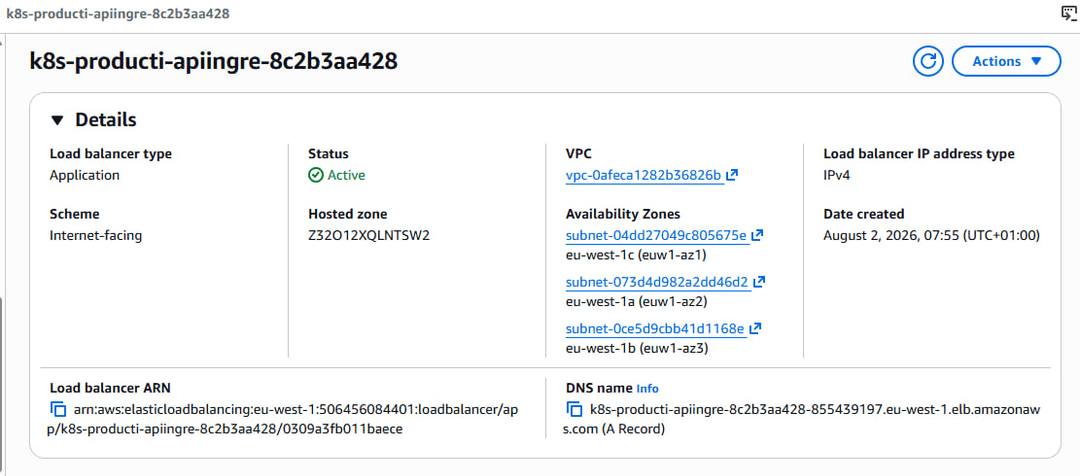
Zero Secrets in Git
Database credentials, API keys, and connection strings never touch a values file, a ConfigMap, or Git. The Secrets Store CSI driver fetches them from AWS Secrets Manager at pod start and mounts them as environment variables.

# Create the secret in AWS Secrets Manager
aws secretsmanager create-secret   --name prod/api/database-url   --secret-string '{"DATABASE_URL":"postgres://user:pass@host:5432/db"}'   --region eu-west-1
apiVersion: secrets-store.csi.x-k8s.io/v1
kind: SecretProviderClass
metadata:
name: api-secrets
namespace: production
spec:
provider: aws
parameters:
objects: |
- objectName: "prod/api/database-url"
objectType: "secretsmanager"
jmesPath:
- path: "DATABASE_URL"
objectAlias: "DATABASE_URL"
secretObjects:
- secretName: api-secrets
type: Opaque
data:
- objectName: DATABASE_URL
key: DATABASE_URLkubectl apply -f k8s/secret-provider.yaml
# Reference in the deployment template
# env:
# - name: DATABASE_URL
# valueFrom:
# secretKeyRef:
# name: api-secrets
# key: DATABASE_URL
helm upgrade api ./helm/api-chart --namespace production --values helm/api-chart/values-prod.yamlApplication code sees process.env.DATABASE_URL. It has no idea the value came from Secrets Manager. That is the point.
Updating the Application
Push new code, trigger CodeBuild, upgrade the release. Kubernetes handles the rolling update — new pods come up and pass the readiness probe before old ones are stopped. No downtime.
aws codebuild start-build --project-name eks-app-build --region eu-west-1

# Once the build completes
helm upgrade api ./helm/api-chart   --namespace production   --values helm/api-chart/values-prod.yaml

kubectl rollout status deployment/api-api -n production

# Roll back immediately if something looks wrong
helm rollback api -n production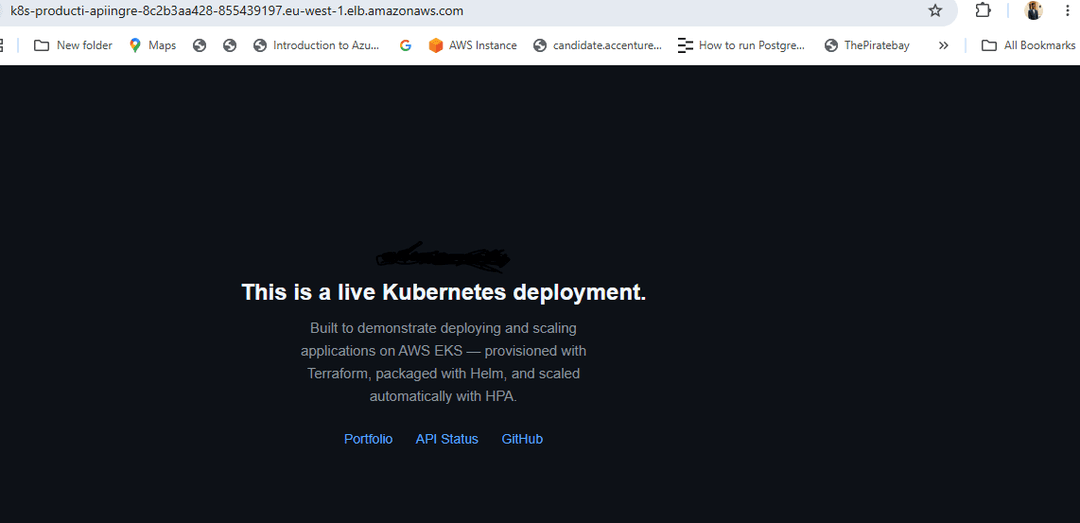
The readiness probe is what makes all of this safe. Every other piece — CodeBuild, Helm, the ALB, Secrets Manager — is about reliability and repeatability. The probe is what prevents broken pods from ever reaching users during deployments. If you take one thing from this post, that is it.
Part 4 covers GitOps with Argo CD — replacing the manual CodeBuild trigger with automatic deployments on every merge to main.
Comments
All comments are reviewed before appearing.
Leave a Comment